We have not tested these keyboards. Every spec, date and price here comes from what Logitech, Razer, Apple and Keychron publish themselves: spec pages, launch announcements and the list price on each maker's US online store, all checked on . Nobody paid to be on this list. The product links go to the makers' own pages so you can see where each figure comes from, and none of them are affiliate links.
How do you choose a keyboard for work or gaming?
Go in this order: how the keys feel, how big the board is, which layout it uses, then how it connects. The first three decide what every day of typing is like, and they're hard to change later. Gaming extras come last, because most people never need them.
- Key feel: linear, tactile or clicky switches, or flat laptop-style keys.
- Size: full size with a number pad, tenkeyless, or something smaller.
- Layout: the US layout (ANSI) or an ISO layout, and Mac or Windows key labels.
- Connection: Bluetooth, a USB receiver or a cable, and what each one means for the battery.
Linear, tactile or clicky: which switch should you pick?
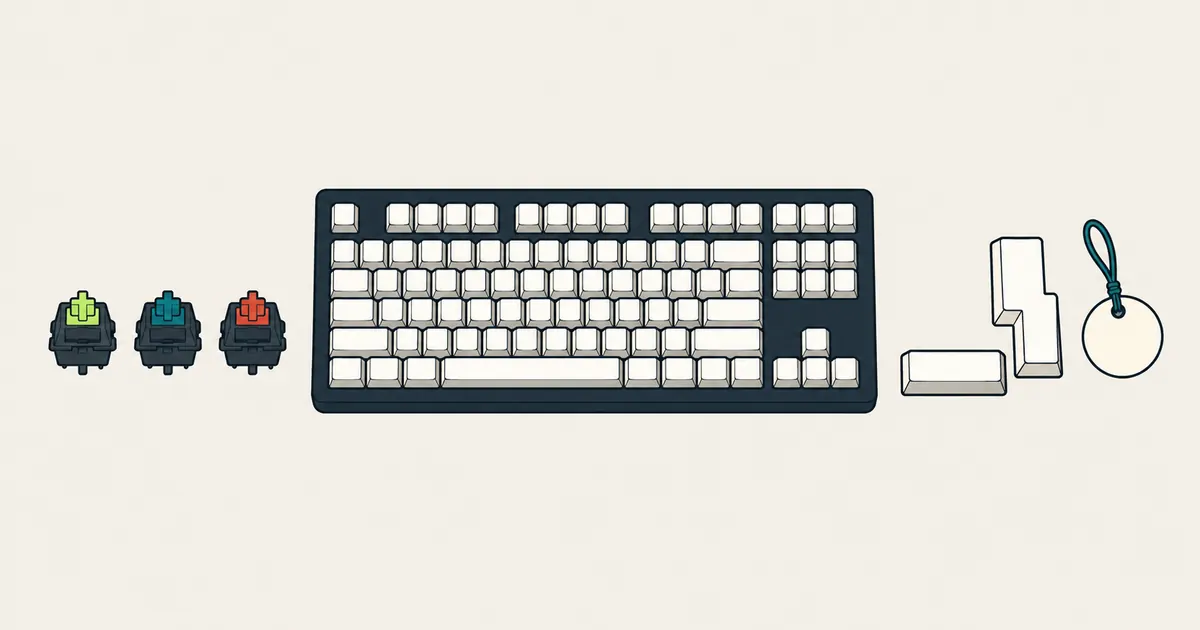
Mechanical keyboards come in three feels, and the names describe what happens as you press a key:
- Linear: smooth all the way down. Logitech says linear switches are great for double-tapping, rapid keystrokes and half-presses.
- Tactile: a small bump as the key registers. Logitech suggests tactile switches if clicky ones are too noisy for your setup.
- Clicky: a bump plus an audible click. Think twice before bringing one into a shared office.
Don't shop by color. Logitech's GX Red is linear, GX Brown is tactile and GX Blue is clicky, but Razer's Green switch is the clicky one and its Yellow switch is linear and quiet. Keychron sells switches called Red, Brown and Banana. Read the word the maker uses for the feel, not the color.
Two more things to look for. Low profile switches are shorter: the G515 LIGHTSPEED TKL is 22 mm tall, and its keys register after 1.3 mm of a 3.2 mm press. Hot-swappable boards, like the Alto Keys K98M and the hot-swap versions of the K10 Max, let you pull a switch and fit a different one without soldering. And not every keyboard is mechanical: the MX Keys S has low-profile keys, and Logitech describes the Pebble Keys 2 K380s as laptop-like typing with scooped keys.
Full size or tenkeyless?
Keep the number pad if you type numbers all day. If you don't, a tenkeyless (TKL) board drops it and lets your mouse sit closer to the keyboard. The candidates below cover the range: the K10 Max has 108 keys, the Alto Keys K98M fits a number pad into 98 keys, the G515 LIGHTSPEED TKL and PRO X2 RAPID are tenkeyless, and the Pebble Keys 2 K380s is a compact board without one. Apple sells the Magic Keyboard both without and with a numeric keypad.
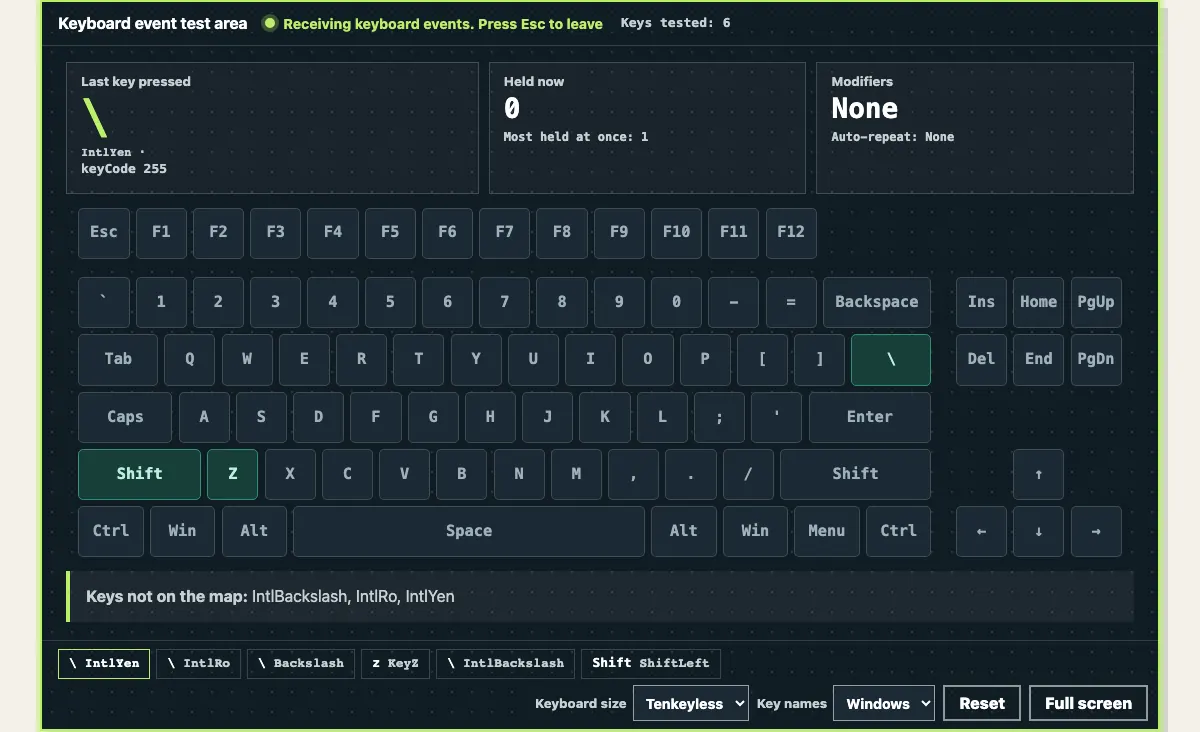
Our keyboard tester draws three sizes, under Keyboard size: Full size, Tenkeyless and Laptop. Pick the one that matches your board so the map doesn't show keys you don't have.
ANSI, ISO or JIS: which layout is your keyboard?
In the US you want the US layout, which spec pages call ANSI, "English US" or "US Layout". ISO layouts, like the UK, German, Nordic and Swiss boards Keychron sells, add a key between the left Shift and Z, and the key that sits above Enter on a US board moves down next to Enter. Japanese (JIS) keyboards add a yen key and a ro key. Keychron sells the K10 Max in ANSI, with a separate ISO collection for those layouts.
Your browser reports where each key sits with a code value from the W3C standard, and our keyboard tester draws a US ANSI board. Here's what that means for the keys that differ, taken from the code behind the tool:
| Key | What the browser reports | Where it shows in our tool |
|---|---|---|
| The key above Enter on ANSI; the key left of Enter on ISO | Backslash | Lights the \ key on the map |
| ISO only: the extra key between left Shift and Z | IntlBackslash | Listed under Keys not on the map |
| JIS only: the yen key next to Backspace | IntlYen | Listed under Keys not on the map |
| JIS only: the ro key next to right Shift | IntlRo | Listed under Keys not on the map |
| Windows key or Command | MetaLeft | Lights Win, or Cmd with Mac key names |
| Alt or Option | AltLeft | Lights Alt, or Opt with Mac key names |
| Fn | Usually nothing: the keyboard handles it itself | Nothing lights up, and that's normal |
Bluetooth, receiver or cable?
- Bluetooth: no dongle, and many boards pair with several devices. The MX Keys S, Alto Keys K98M and Pebble Keys 2 K380s each switch between up to 3 devices. Apple's Magic Keyboard connects over Bluetooth and needs macOS 15.1 or later on a Mac.
- USB receiver: the MX Keys S and Alto Keys K98M come with a Logi Bolt receiver; the Pebble Keys 2 K380s works with one, sold separately.
- For games, use the receiver or a cable: Keychron lists the K10 Max at 1000 Hz over 2.4 GHz and wired, but 90 Hz over Bluetooth.
- Backlighting costs battery: Logitech quotes up to 10 days per charge for the MX Keys S with its predefined settings, or up to 5 months with the backlight off. The K10 Max lasts around 190 hours with the backlight off and around 100 hours with RGB at its lowest brightness. The unlit Pebble Keys 2 K380s runs up to 36 months on two AAA batteries.
What can most people skip?
- 8 kHz and Rapid Trigger, unless you play competitive games. The PRO X2 RAPID uses Hall-effect analog switches with an actuation point you can set from 0.1 to 4 mm and an 8 kHz report rate. Logitech pitches Rapid Trigger for faster resets in the moments that decide rounds. For typing and casual play, a regular mechanical board costs less: the gaming table runs from $99.99 to $229.99.
- A number pad you won't use. It's the easiest way to free up desk space.
- Extra macro keys you won't program. The BlackWidow V4 X has 6 dedicated macro keys, programmed in Razer Synapse or recorded on the fly. They're handy if you'll assign them and just extra width if you won't.
- Switch color names. As above, read linear, tactile or clicky instead.
- Treating "n-key rollover" as something you can confirm at home. Keychron lists NKRO for the K10 Max, but a web page only sees the keys your browser receives, and the operating system and the connection play a part too. Test the combinations you actually use instead.
Which keyboards should you compare in 2026?
Here are the official specs and US list prices for current models on each maker's US store, picked to cover common needs and price points. They aren't ranked, and we haven't used them. Every row links to the pages its details come from.
Work and everyday keyboards
| Model | Introduced | Keys | Size and weight | Connection | Battery | US list price | Sources |
|---|---|---|---|---|---|---|---|
| Logitech Pebble Keys 2 K380s | Sep 6, 2023 | Low-profile, scooped keys | Compact, no number pad; 415 g | Bluetooth LE, up to 3 devices; Logi Bolt receiver not included | 2 AAA, up to 36 months | $39.99 | Specs and price, launch |
| Apple Magic Keyboard (USB-C) | 2024 (Apple lists the year only) | Not listed by the manufacturer | 27.89 cm wide; 239 g | Bluetooth (USB-C port for pairing and charging); macOS 15.1 or later | Rechargeable, about a month or more | $99 | Specs, price |
| Logitech Alto Keys K98M | Not listed by the manufacturer | Hot-swappable linear Marble switches | 98 keys with a number pad; 1,100 g | Bluetooth LE or Logi Bolt receiver (included), up to 3 devices | Rechargeable, 12 months with the backlight off | $119.99 | Specs and price |
| Logitech MX Keys S | May 31, 2023 | Low-profile keys | Full size, 430.2 mm wide; 810 g | Bluetooth LE or Logi Bolt receiver (included), up to 3 devices | Rechargeable, up to 10 days, or 5 months with the backlight off | $129.99 | Specs and price, launch |
Mechanical and gaming keyboards
| Model | Introduced | Switches | Size and weight | Connection | Battery | US list price | Sources |
|---|---|---|---|---|---|---|---|
| Keychron K10 Max | Not listed by the manufacturer | Keychron Super or Apex mechanical (Red, Brown, Banana); hot-swap versions available | Full size, 108 keys, ANSI; 1,530 g | 2.4 GHz, Bluetooth 5.1 or USB-C cable; 1000 Hz on 2.4 GHz and wired, 90 Hz on Bluetooth | 4000 mAh, around 190 hours with the backlight off | $99.99 to $119.99, by backlight and hot-swap option | Specs and price |
| Razer BlackWidow V4 X | Jul 18, 2023 | Razer Green (clicky) or Yellow (linear) | Full size, 6 macro keys; weight not listed | Wired | None, wired only | $129.99 (black) | Specs and price, launch |
| Logitech G515 LIGHTSPEED TKL | Jun 25, 2024 | Low-profile GL, tactile or linear | Tenkeyless, 22 mm tall; 880 g | LIGHTSPEED receiver, Bluetooth or USB-C cable | Rechargeable, up to 36 hours | $159.99 | Specs and price, launch |
| Logitech G PRO X2 RAPID | Sep 23, 2026 | Hall-effect analog linear, adjustable actuation, Rapid Trigger | Tenkeyless; weight not listed | Wired, 8 kHz | None, wired only | $229.99 | Specs and price, launch |
All specs and prices were checked on . "Introduced" is the date of the maker's own announcement or launch post, and "Not listed by the manufacturer" means we couldn't find one on the maker's site. Prices are the list price on each maker's US online store that day, before any sale, and retailers set their own prices. List prices change, too: Logitech announced the G515 LIGHTSPEED TKL at $139 in 2024, and it lists for $159.99 today. Battery figures come from the makers and vary with how you use the keyboard.
Which kind of keyboard fits what you do?
- Long days of typing at one desk: a full-size board that pairs with several computers, like the MX Keys S, or the Alto Keys K98M if you want mechanical switches.
- A keyboard for the bag or a tablet: a compact Bluetooth board like the Pebble Keys 2 K380s.
- Mac only: the Magic Keyboard, or the Touch ID version at $149 if your Mac has Apple silicon.
- Mechanical for work and play: the K10 Max, with Mac and Windows keycaps included and a 2.4 GHz mode for games.
- A full-size wired gaming board with macro keys: the BlackWidow V4 X.
- Gaming with less desk space: a tenkeyless board, like the G515 LIGHTSPEED TKL (wireless, low profile) or the PRO X2 RAPID (wired, adjustable actuation).
What should you check when it arrives?
Whatever you buy, check it while you can still return it. Open our keyboard tester, pick your board's size and key names, and press every key: each one should light up on the map. The extra keys on an ISO or JIS board show up under Keys not on the map. Fn and system shortcuts often never reach a web page, so a dark Fn key is normal.
Then hold the keys you press together, like W, A, Shift and Space, and watch Most held at once. If one key drops out of a group, or a key you didn't press lights up, that points to key blocking or ghosting. Try the same keys on another computer before you decide it's the keyboard.
Need the code a key sends for your own project? See JavaScript Key Codes. Choosing a mouse as well? See Best Mice in 2026. And when it's time to clean the keyboard, see How to Clean a Keyboard and Mouse.