We have not tested these mice. Every spec, date and price here comes from what Logitech, Razer and Apple publish themselves: spec pages, launch announcements and the list price on each maker's US online store, all checked on . Nobody paid to be on this list. The product links go to the makers' own spec and store pages so you can see where each figure comes from, and none of them are affiliate links.
How do you choose a mouse for work or gaming?
Go in this order: fit, then connection, then the numbers. Fit and connection decide how the mouse feels every single day. DPI and polling rate are settings you pick once in the maker's app and then forget about.
- Fit: the shape (right-handed, symmetrical or vertical), the size and the weight.
- Connection: Bluetooth, a USB receiver or a cable, and what each one means for the battery.
- Buttons: which extra buttons you'll actually press, and whether they need the maker's software.
- Sensor numbers: DPI and polling rate. Look at these last.
Will it fit your hand?
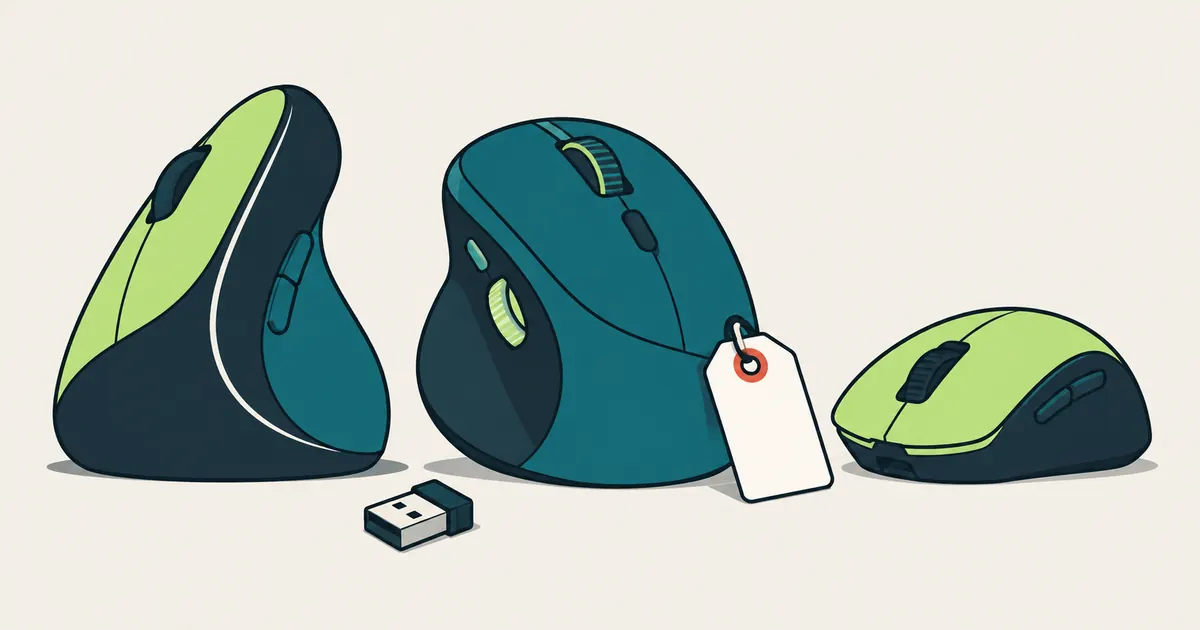
Start with the shape. Mice come in three broad families, and some spec pages tell you straight out which one you're looking at:
- Right-handed ergonomic: shaped to fit one hand. Razer lists the DeathAdder V4 Pro's form factor as right-handed.
- Symmetrical: the same outline on both sides. Razer calls the Viper V3 Pro "right-handed symmetrical", which means a symmetrical body set up for the right hand.
- Vertical: you hold it the way you'd shake someone's hand. Logitech's Lift sits at a 57 degree angle, which Logitech says takes pressure off your wrist. Logitech says it's a great fit for small to medium hands, and it also sells a left-handed version.
Next, size. The easiest check is free: grab a ruler, measure the mouse you use now and compare it with the dimensions on the spec page. Watch the labels, though, because they don't match from page to page, even within one brand. The MX Master 4 page calls the length "Height" (128.15 mm by 88.35 mm), but the G305 page calls it "Length" (116.6 mm) and uses "Height" for how tall the mouse is. Apple calls the length "Depth" (11.35 cm for the Magic Mouse), and Razer calls it "Length" (128 mm for the DeathAdder V4 Pro).
Weight is the third number to look at. In the tables below, the three flagship gaming mice weigh 54 to 59 grams, the two AA-powered budget gaming mice weigh 86 to 99 grams, and the work mice weigh 99 to 150 grams. A heavier mouse isn't a worse desk mouse, either: the MX Master 4's 150 grams include a machined steel scroll wheel and a 650 mAh battery.
Bluetooth, USB receiver or cable?
Short version: Bluetooth needs no dongle, a USB receiver is what gaming mice use for their fastest settings, and a cable needs no battery at all. Many mice give you two of the three.
- Bluetooth: no dongle to lose, and one mouse can pair with several computers. Logitech says the MX Anywhere 3S connects to up to 3 devices over Bluetooth (its Logi Bolt receiver is sold separately). Apple's Magic Mouse connects over Bluetooth and needs macOS 15.1 or later (or iPadOS 18.1 on an iPad).
- USB receiver: each brand has its own, like Logi Bolt on Logitech's work mice, LIGHTSPEED on Logitech G and HyperSpeed on Razer. The MX Master 4 and the Lift come with a Bolt receiver in the box. The 8000 Hz figures in the gaming table apply to the receiver or the cable.
- Both: the G309 LIGHTSPEED has a receiver and Bluetooth. Logitech quotes over 300 hours on one AA battery over LIGHTSPEED and over 600 hours over Bluetooth. That's the trade-off in a nutshell.
- Cable: the PRO X3 SUPERSTRIKE and the DeathAdder V4 Pro also work wired, and both makers list 8000 Hz for wired mode too.
Rechargeable or AA? The rechargeable mice in this guide charge over USB-C. Logitech quotes up to 70 days per full charge for both the MX Master 4 and the MX Anywhere 3S, plus about 3 hours of use from a one-minute charge. One catch: the MX Master 4 page says its charging cable isn't included. AA mice go much longer between swaps: Logitech quotes up to 24 months for the Lift and 250 hours of play for the G305.
Do DPI and polling rate matter?
They're settings, not scores. Logitech describes DPI as essentially the sensitivity setting for your mouse, and you pick one value in the maker's app. Every mouse here covers a wide range: the MX Master 4 goes from 200 to 8,000 DPI with 1,000 as its nominal value, and the gaming mice top out between 12,000 and 48,000. You'll use one setting, so the maximum only matters if you need a setting close to it.
Polling rate (Logitech G calls it report rate) is how often the mouse tells the computer where it is: 1000 Hz is once every 1 ms, 8000 Hz is once every 0.125 ms. What you pay for it is battery life. Razer lists the Viper V3 Pro at up to 95 hours at 1000 Hz but 17 hours at 8000 Hz, and the DeathAdder V4 Pro at 150 hours versus 22. Logitech puts a note on its 8000 Hz figures saying advanced features require its G HUB software. Work mice like the MX Master 4 and the Lift don't list a polling rate on their spec pages at all.
Worth knowing: our mouse tester doesn't estimate DPI, polling rate or latency. It only shows the events your browser receives, and that's exactly what the table in the next section shows.
Which extra buttons will you actually use?
Count the buttons you'll really press. The two side buttons are the ones browsers typically treat as Back and Forward, no extra software needed. Anything beyond those, like the MX Master 4's gesture button among its 8 buttons, gets set up in Logitech's Logi Options+ app on Windows and macOS.
Here's how a web page sees each control, taken straight from the code behind our mouse tester:
| What you press | What the browser reports | Where it shows in our tool |
|---|---|---|
| Left button | button 0 | Buttons mode, lamp Left |
| Wheel click | button 1 | Buttons mode, lamp Middle |
| Right button | button 2 | Buttons mode, lamp Right |
| Side button (Back) | button 3 | Buttons mode, lamp Back |
| Side button (Forward) | button 4 | Buttons mode, lamp Forward |
| Any other button | button 5 or higher, if the browser receives it at all | Buttons mode, under Other button codes |
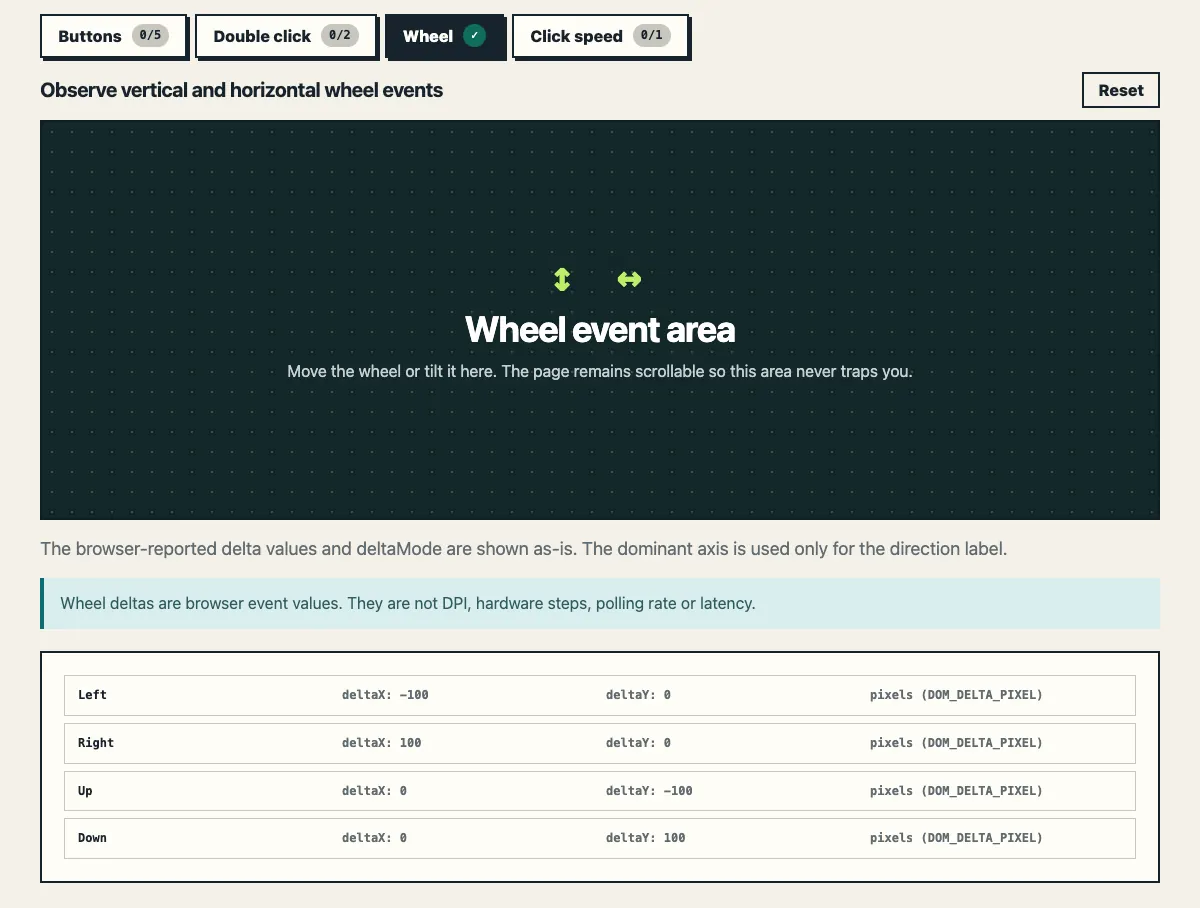
| Scroll wheel rolled | A wheel event with a vertical delta | Wheel mode, Up or Down |
| Thumb wheel or tilted wheel | A wheel event with a horizontal delta | Wheel mode, Left or Right |
Browsers and operating systems sometimes keep Back and Forward for themselves. So if a side button never lights up, that's a reason to try another browser, not proof the button is faulty.
Which mice should you compare in 2026?
Here are the official specs and US list prices for current models on each maker's US store, picked to cover common needs and price points. They aren't ranked, and we haven't used them. Every row links to the pages its details come from.
Work and everyday mice
| Model | Introduced | Weight | Connection | Battery | US list price | Sources |
|---|---|---|---|---|---|---|
| Logitech MX Master 4 | Sep 30, 2025 | 150 g | Bluetooth LE or Logi Bolt USB-C receiver (included) | Rechargeable, up to 70 days per charge | $119.99 | Specs and price, launch |
| Logitech MX Anywhere 3S | May 31, 2023 | 99 g | Bluetooth LE; Logi Bolt receiver sold separately | Rechargeable, up to 70 days per charge | $89.99 | Specs and price, launch |
| Logitech Lift Vertical Ergonomic Mouse | Apr 19, 2022 | 125 g | Bluetooth LE or Logi Bolt receiver (included) | 1 AA, up to 24 months | $79.99 | Specs and price, launch |
| Apple Magic Mouse (USB-C) | 2024 (Apple lists the year only) | 99 g | Bluetooth (USB-C port for charging and pairing); macOS 15.1 or later | Rechargeable, about a month or more | $79 (white), $99 (black) | Specs, price |
Gaming mice
| Model | Introduced | Weight | Sensor (max DPI) | Connection and max polling rate | Battery | US list price | Sources |
|---|---|---|---|---|---|---|---|
| Logitech G PRO X3 SUPERSTRIKE | Sep 23, 2026 | 59 g | HERO 2 (48,000) | Receiver or USB-C cable, 8000 Hz on both | 135 hours per charge | $199.99 | Specs and price, launch |
| Razer DeathAdder V4 Pro | Jul 10, 2025 | 56 g black, 57 g white | Focus Pro 45K Gen-2 (45,000) | Receiver or cable, 8000 Hz on both | 150 hours at 1000 Hz, 22 at 8000 Hz | $169.99 (black, white) | Specs and price, launch |
| Razer Viper V3 Pro | Apr 23, 2024 | 54 to 55 g, by color | Focus Pro 35K Gen-2 (35,000) | Receiver or cable, 8000 Hz with the included dongle | 95 hours at 1000 Hz, 17 at 8000 Hz | $159.99 (black, white) | Specs and price, launch |
| Logitech G309 LIGHTSPEED | Jul 9, 2024 | 86 g with an AA battery, 68 g without it on a POWERPLAY pad | HERO 25K (25,600) | Receiver or Bluetooth; no maximum listed, 1 ms (1000 Hz) quoted at launch | 1 AA, 300+ hours on the receiver, 600+ on Bluetooth | $89.99 | Specs and price, launch |
| Logitech G305 LIGHTSPEED | May 15, 2018 | 99 g | HERO (12,000) | Receiver, 1000 Hz | 1 AA, 250 hours | $59.99 | Specs and price, launch |
All specs and prices were checked on . "Introduced" is the date of the maker's own announcement or launch post. Prices are the list price on each maker's US online store that day, before any sale, and retailers set their own prices. List prices change, too: Logitech launched the Lift at $69.99 in 2022 and the G309 at $79.99 in 2024, and both list for $10 more today. Battery figures come from the makers and vary with how you use the mouse.
Which kind of mouse fits what you do?
- Long days at one desk, lots of apps: a full-size mouse with a thumb wheel and buttons you can program, like the MX Master 4.
- A mouse for the laptop bag: a compact Bluetooth mouse that pairs with several devices, like the MX Anywhere 3S.
- Wrist comfort first: a vertical mouse like the Lift. Logitech sizes it for small to medium hands, so check its dimensions against your current mouse before you buy.
- Mac only: the Magic Mouse. Its Multi-Touch surface handles gestures like swiping between web pages, and it needs macOS 15.1 or later.
- Competitive shooters: a mouse under 60 grams with an 8000 Hz option, like the PRO X3 SUPERSTRIKE, DeathAdder V4 Pro or Viper V3 Pro, if you can live with the shorter battery life at 8000 Hz.
- One mouse for work and games: the G309 LIGHTSPEED, with Bluetooth for the laptop and LIGHTSPEED for gaming.
- Tight budget: the G305 LIGHTSPEED, which has the lowest list price in the gaming table.
What should you check when it arrives?
Whatever you buy, check it while you can still return it. Open the Buttons mode of our mouse tester and press every button: each of the five lamps should turn Tested. Then switch to Wheel mode and roll the wheel both ways. If your mouse has a thumb wheel or a tilting wheel, scroll sideways too. That shows up as Left and Right.
That covers the features you paid for. For the full five-minute routine, including how to catch a button that double clicks on its own, see How to Check a New or Used Mouse.