Featured October 16, 2026: Device Tester adds a touch screen test for multi-touch and dead spots.Try the touch screen test
Pocketool showcase: 7 tool sites on one stage
Copy an emoji, fix a photo, test a mic. Free tools in your browser.
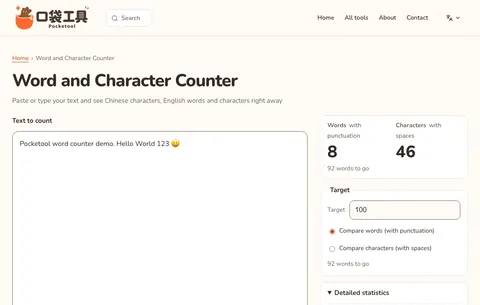
Pocketool is a free tool site made by one person, Casper, co-founder of the Taiwan coding school HexSchool, for everyday jobs: copy emoji and kaomoji, watermark an ID copy, convert iPhone photos to JPG, test a mouse or webcam, count words, or write a Taiwan address in English.
www.pocketool.app/kaomoji/en01 / 06
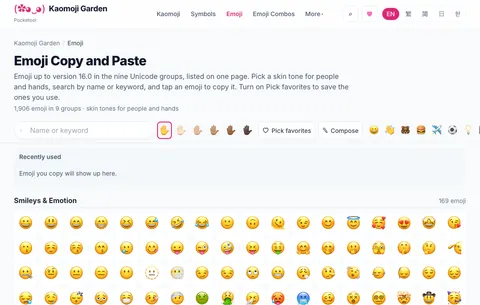
Emoji and kaomoji English interface
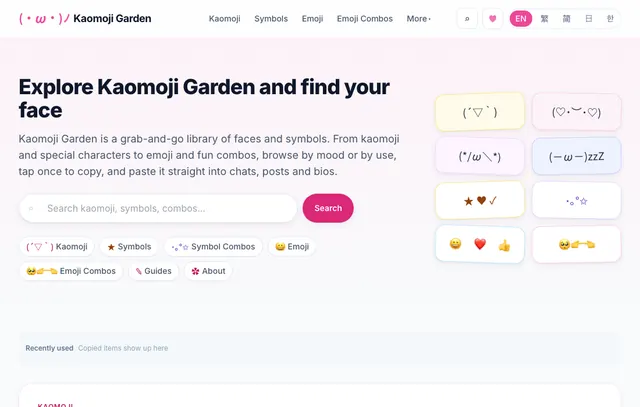
Kaomoji Garden
Find a face. Tap to copy.
1,795 kaomoji · 1,906 emoji · Names from Unicode CLDR
No sign-up and nothing to install. Tools with an English interface come first, and the ones in Chinese are labelled.
7tool sites
56distinct tools
5languages
7 tool sites plus 3 tools on this site, 56 distinct tools in all. How we count: a tool counts once whatever its languages, all QR code content types count once, and Kaomoji Garden's collections are not counted. The 5 languages are Traditional Chinese, English, Japanese, Korean and Simplified Chinese, and each site supports a different set.
The stage shows a single tool at a time. Every tool site is also written up in full further down.
The standards first
Why use Pocketool
The 7 tool sites do different jobs, but they all follow the same four rules. Each rule comes with a source you can check.
Free, no sign-up
Get the job done first, then decide whether to come back
Every tool on this page works without an account. A few optional extras need a Google sign-in, and none of them blocks the main job.
Sources The sign-in extras: submitting and syncing emoji combos in Kaomoji Garden, and cloud save in the Pixel Smith Photo Editor. Read the privacy policy
Your data stays in your browser
If it does not need to leave your device, it stays there
Most tools for text, lists, addresses, photos and device tests do their work in your browser. Where a tool does send something, its page says so.
Sources The ZIP code lookup and the address translator run in your browser. Downloads from Pixel Smith's ID copy watermark, Blur, pixelate or add text and Photo Editor carry no EXIF or GPS data, and the Photo Editor uploads a project only if you sign in and save it. Device Tester asks for the mic and camera only after you press Start, and the sound and picture are not uploaded. Pages still load Google Analytics and ads. See how each tool handles data
Official data, with sources
Not just an answer, but where it came from
Taiwan ZIP codes and addresses come from Chunghwa Post. Overtime and severance results are tested against Taiwan's Ministry of Labor calculators. Emoji follow Unicode and CLDR. Passport photo sizes cite government pages.
Sources Chunghwa Post 3+3 ZIP code system V2602_260427 (released 2026-04-27); 11,149 test cases from the Ministry of Labor's official calculators; Unicode Emoji and CLDR; passport photo sizes for the U.S., U.K., Canada, Australia and Taiwan, checked against 7 government pages on 2026-09-29. See the passport photo sources
Kept up to date
Every release and article is dated
Each release is logged with its date and version. Articles show their date, plus an updated date when the content changes. When a tool cannot do something, it says so.
Sources Latest release on 2026-11-04: 9 releases, including Office Tools v0.18.0, Pocketool v0.12.0 and Office Life Calculator v0.43.0. See the changelog (in Chinese)
Every tool site, in full
7 tool sites, each introduced like a product
Each one has a real screenshot, three steps to get started, its main features and a related guide. English interfaces come first, then the tools in Chinese, each labelled. It is all on this page, with nothing to expand.
01
Part 1 · 3 tool sites
Ready in English
For copying emoji and symbols, fixing photos, and checking a mouse, keyboard, speakers, mic or webcam. These sites have full English interfaces.
P01Emoji and kaomoji English interface
Kaomoji Garden
Kaomoji, emoji, special symbols and combos, sorted so you can find one fast and copy it with a tap.
1,795 kaomoji sit in 29 categories by mood and theme, next to 641 special symbols, 565 symbol combos and 1,906 emoji with names from Unicode CLDR. 168 emoji combos come with their meaning and when to use them. Favourites stay in your browser, and a Google sign-in is needed only for emoji combo extras such as submitting your own.
1,795 kaomoji
1,906 emoji, up to Emoji 16.0
Pages in English, Traditional Chinese, Japanese and Korean
How to use it
1Pick kaomoji, emoji, symbols or combos.
2Narrow it down by category, tag or search.
3Tap one to copy it, then paste it into your chat or post.
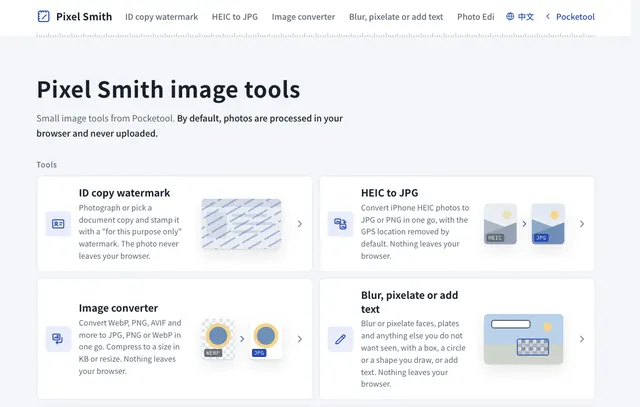
Watermark an ID copy before you send it, convert iPhone HEIC photos or WebP images to JPG, cover faces and number plates, edit with layers in the Photo Editor, or record your screen. Photos and recordings are not uploaded by default; the Photo Editor uploads a project only if you sign in with Google and save it to the cloud. The passport photo size chart covers the U.S., U.K., Canada, Australia and Taiwan, with official sources.
No upload by default
5 countries in the passport photo chart
English and Chinese interfaces
How to use it
1Pick a job: watermark, convert, cover, edit or record.
2Choose a photo, or the screen to record, and work on it in the browser.
3Preview, download, and check the result before you send it.
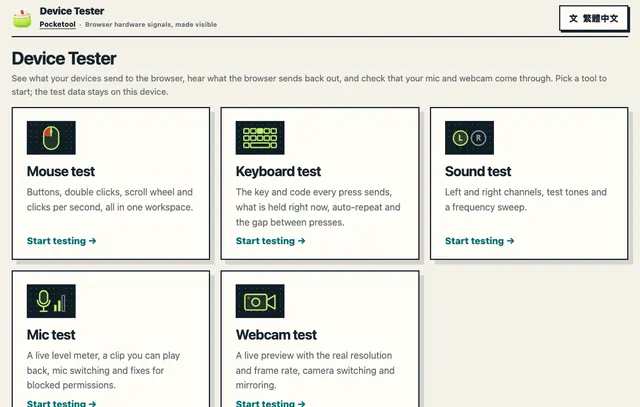
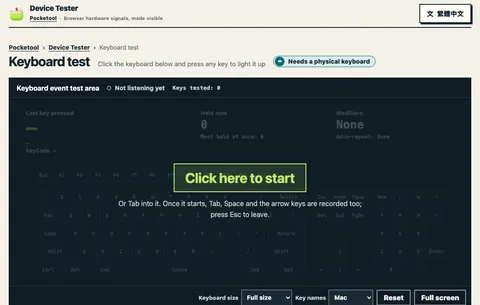
See the gap between clicks, clicks per second, and the key and code of every press. Play the left and right channels or a frequency sweep, watch your mic level and play back a short clip, and preview your webcam at the resolution the browser really gets. The mic and webcam ask for permission only after you press Start, and the sound and picture are not uploaded. The sound test only plays sound and is not a hearing test.
No install, no account
Permission only after you press Start
English and Chinese interfaces
How to use it
1Pick the mouse, keyboard, sound, mic or webcam test.
2Click, type or play a tone, or allow the mic or camera and press Start.
3Read the events and tips on screen to see whether something is wrong.
The pages are in Chinese, but the jobs are short: type a link or an address, and get a code or an English address back. Each has an English guide on this site.
P04QR codes and barcodes Chinese interface
QR Code Maker
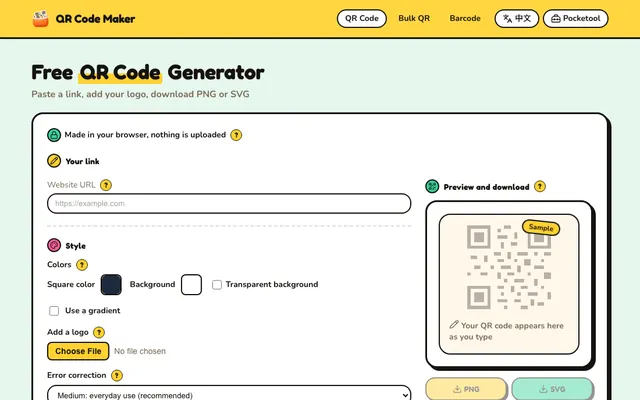
Make QR codes and barcodes, and read codes from images. The interface is in Chinese, but the steps are simple.
Make a code for a URL, WiFi network, contact card, text, email, phone number or SMS, and adjust the colours, gradient, logo and error correction. Codes are made in your browser with no watermark. Static QR codes do not expire, and you can use them commercially and in print.
7 content types
5 barcode formats
PNG, SVG and JPG downloads
How to use it
1Pick URL, WiFi, contact card, text, email, phone or SMS.
2Fill in the fields, then adjust colours, logo and error correction.
3Scan it once with your phone, then download PNG, SVG or JPG.
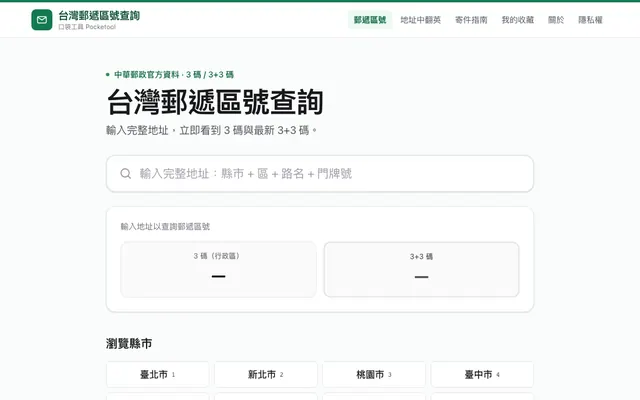
The data is Chunghwa Post's 3+3 ZIP code release of April 27, 2026: 80,134 address ranges and 12,953 3+3 codes. Each of Taiwan's 22 cities and counties and 368 townships and districts has its own page. The address translator uses Chunghwa Post's English names for 30,030 roads and streets.
80,134 address ranges
368 townships and districts
30,030 roads and streets in English
How to use it
1Type the full address: city, district, road and number.
2Check that the matched address range and ZIP code look right.
3Copy the 3+3 code, or switch to the address translator.
For admin and HR staff, and for anyone working out pay or savings in Taiwan. The interfaces are in Chinese. Office Tools also has a separate Japanese section for offices in Japan, and the investing calculators work in any currency.
P06Office admin Chinese interface, plus a Japanese section
Office Tools
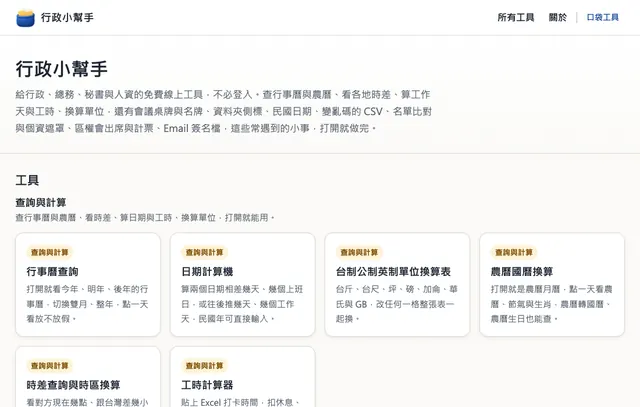
For admin, secretarial and HR work in Taiwan: paste in your data and get it formatted, converted, compared or masked.
Check Taiwan holidays and lunar dates, count working days and work hours, convert ROC dates and Taiwanese units, lay out table tents and binder labels, fix garbled CSV files, mask names and compare lists. CSV files are read as UTF-8 or Big5 automatically, and leading zeros are kept. Names, dates and files are processed in your browser and not uploaded. Office Tools for Japan, a separate section in Japanese, covers era years, formal kanji amounts, public holidays and paid leave.
Paste from Excel, paste back
UTF-8 and Big5 detected automatically
Print straight to A4
How to use it
1Pick the task you need on the home page.
2Paste names, dates or other data from Excel, or choose a CSV file.
3Paste the result back into Excel, download a file, or print on A4.
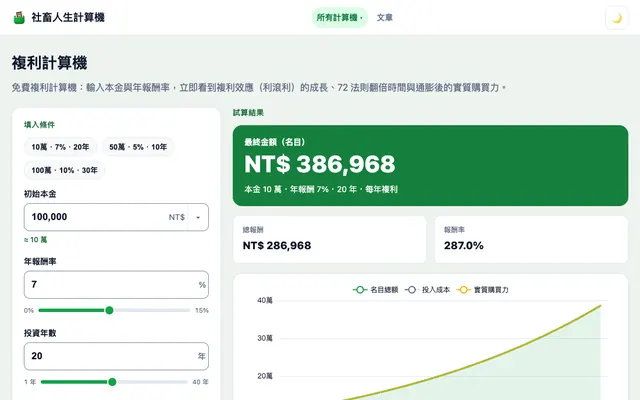
Calculators cover compound interest, recurring investing, annualised return, FIRE, retirement withdrawals, mortgages, Taiwan's subsidised first home loan, the labour pension, annual leave, overtime, severance and year-end bonuses. Overtime and severance pay are tested against 11,149 cases from the Ministry of Labor's official calculators. The interface is in Chinese; the investing calculators work in any currency, while the work pages follow Taiwan law.
11,149 official test cases
Charts, yearly tables and CSV export
Formulas and legal sources on the page
How to use it
1Pick a money or work question from the menu.
2Enter your own numbers, and the result updates.
3Scroll down for the chart, yearly table, formula and legal source.
Casper puts design, engineering and teaching into every tool
Casper is a co-founder of HexSchool, an online coding school in Taiwan. He studied visual design and started out in Flash and print, then taught himself to become a software engineer. He has entered the iThome Ironman writing contest for several years, and shares JavaScript, Vue and web development in online courses and on Casper Blog (in Chinese).
Went from visual design to software engineering, self-taught
Teaches HexSchool online courses, such as the Vue 3 course
Writes a technical article every day for 30 days in each iThome Ironman contest he enters
Likes explaining abstract ideas with visuals and everyday examples
How the tools are made
Free, ready to use and respectful of your privacy. Tools say where their data comes from, what they assume and what they cannot do. Text, lists, addresses, photos and test data stay in your browser whenever they can.
The English pages are written for English readers with AI tools, following the editorial policy. Where an English page and its Chinese version disagree, the Chinese page is the reference.
Every release is logged with its date and version. The summaries here are in English; the full log is in Chinese.
Office Toolsv0.18.0A redesign plus two new markets. Office Tools in English has 4 tools (date calculator, time card calculator, time zone converter and list comparison), and the Korean 사무 도우미 has 5 (date calculator, international age, lunar to solar conversion, time difference and unit converter). The header language menu now lists Traditional Chinese, English, Korean and Japanese; on a tool page it opens the same kind of tool in that language, or that language's home page when there is none, and the footer can switch languages too. Every tool gets an illustrated icon, the home page gets new artwork, body text is at least 16px and calendar dates and holiday names are larger. Taiwan and Japan URLs and titles are unchanged.
Pocketoolv0.12.0The shared footer is updated to 1.1.0: on English pages, the Office Tools link in the footer site list now goes to the English version (Office Tools). Nothing else in the footer changes.
Office Life Calculatorv0.43.0The footer gets a language row: the Japanese and Korean pages, and the three Chinese pages that have Japanese and Korean versions (home, floor area converter and privacy), can switch between Traditional Chinese, Japanese and Korean from the footer. The links match the header language switch and keep you on the same page, with the current language in bold. On Korean pages the Office Tools link is now 사무 도우미 and goes to the Korean version.
Taiwan ZIP Code Lookupv1.7.1The footer is updated to version 1.1.0 of the shared Pocketool footer. The site is Chinese only, so there is no language row and nothing on the page looks different.
QR Code Makerv1.11.0The footer gets a language row: every page can switch between Chinese and English from the footer and lands on the same page in the other language, with the current language in bold. On English pages, the Office Tools link in the footer site list now goes to the English version.