Spinning Top Arena: Start a Match or Practise with the Bot
Two-player online battles in the browser: aim once, launch once, and both players watch the same replay
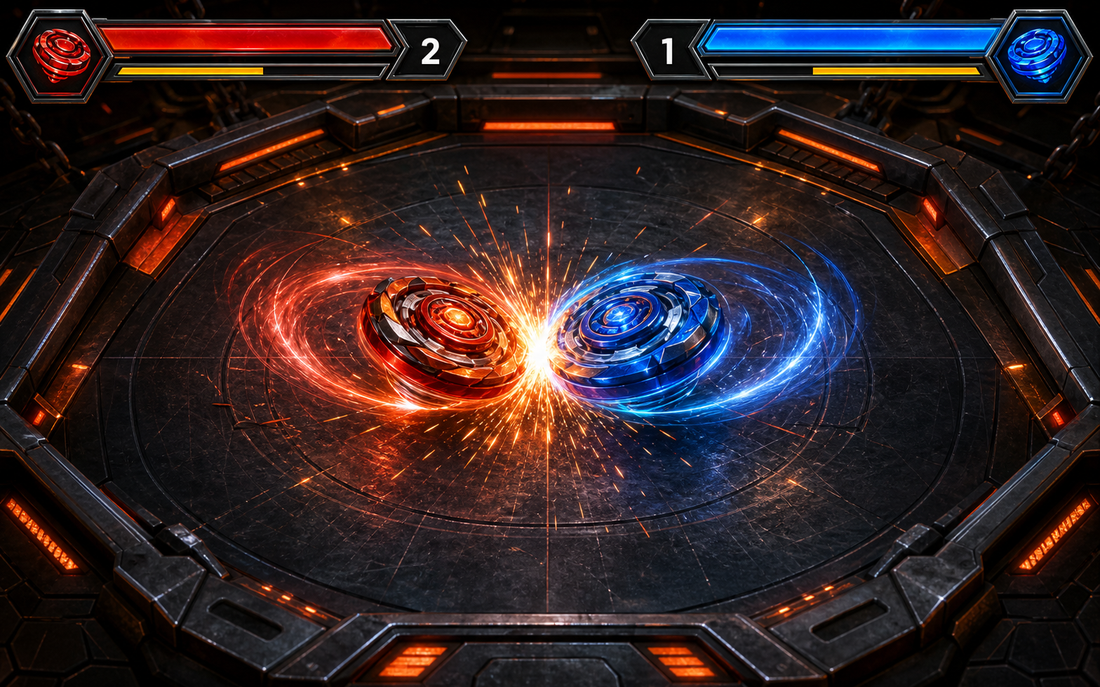
Tap the image to open the tool ↗Spinning Top Arena is a two-player browser game I built. It is not a real-time action game. Each round you decide only where your top lands, which way it goes and how hard it is launched. After that the physics engine takes over, and both players watch the same replay to see who wins. The whole game sits behind a Google sign in, so the first thing you see is the sign-in page. This page is a getting-started guide for new players: how to find an opponent in the lobby, how to warm up against the bot, how to set up your line-up and how to read a round. The full breakdown of stats and type matchups is in a separate gameplay guide, written in Chinese. The game's interface is in Traditional Chinese too, so this guide gives the Chinese button labels alongside their meaning.
Step one: sign in with Google
Opening the game takes you to the sign-in page. Press 使用 Google 登入 (sign in with Google), approve it on Google's screen, and you land in the lobby. A sign in is required because a match needs to know who you are: matchmaking, your seat in a room, your line-up and your record are all tied to your account.

Once you sign in, the game stores your Google account identifier, email address, name and profile picture URL (refreshed at each sign in), and when the account was created and when you last signed in; a nickname the system assigns you from the game's own list of names, not taken from your Google account, which you can change in your settings; your settings, such as your line-up, launch mode, replay speed and sound; and your record of matches against people (the room code, both nicknames, the score, the winner and when the match ended). Matches against the bot are not recorded. In a match your opponent sees your nickname and your Google profile picture, but not your email address or your Google account name. A cookie keeps you signed in, and the sign-out button is at the bottom of the settings page. The site-wide details are in the privacy policy.
The lobby: three ways to start
The first screen after signing in is the battle lobby, which shows how many people are online. There are three ways into a match:
- Quick match (快速配對): you join a queue, and every time two players are waiting they are sent to the same room. You can leave the queue at any time.
- Room code with a friend: one player presses 建立房間 (create room). The room shows a six character code, and 複製連結 (copy link) copies a direct link you can send. The other player types the code in the lobby and presses 加入 (join). The match starts as soon as the second player arrives.
- Play the bot (跟 BOT 對戰): this opens a room with just you and the practice bot. The bot picks a random top and special move every round, which makes it the quickest way to learn the feel of the game.
Before creating a room you can tick the option to make it public in the lobby. It then appears in the public room list, where anyone can see it and join. A public room nobody joins drops off the list after about 15 minutes, and while you are still waiting the host can close it.
When the lobby shows nobody else online, it suggests a round against the bot instead. If the queue has been quiet for a while, inviting a friend by room code or playing the bot beats waiting.
Before you play: set up a line-up of three
The 陀螺庫 (top library) page in the navigation holds your line-up: three slots, each with a top and a special move. There are 10 tops in total across four types, attack, defence, stamina and balance. Tapping a slot opens the full roster, where each top has a radar chart of six stats: attack, defence, stamina, weight, critical rate and special move strength.
- The line-up plays in order: slot one in round one, slot two in round two, and so on in rotation.
- You can swap for one round: while aiming, open the drawer at the bottom of the screen to switch to another top from your line-up or change the special move. The change only applies to that round.
- Mix your types: the four types are tuned to counter each other (attack beats stamina, stamina beats defence, defence beats attack), so a varied line-up is harder to counter every round.
How a round works
Both players aim at the same time with a 45 second limit, and neither can see the other's landing spot or power.

- Set the landing spot, direction and power. The default is slingshot (拉弓): press where the top should land, pull back to build power, and release to launch. In your settings you can switch to flick (甩動), where the speed of your swipe at release sets the power.
- Time-outs launch for you. If you have not launched within 45 seconds, the game launches with default settings (near your own side, aimed at the centre, medium power), so your opponent is never left waiting.
- Spin direction is fixed. Online, the red player (A) always spins right and the blue player (B) always spins left, so every match is a counter-spin clash.
- One arena per match. Each match draws an arena from those currently enabled and keeps it for the whole match. A rematch draws again.
- Watch the same replay. Once both tops are launched, the server runs the whole round through the physics engine and both screens play exactly the same replay. You can scrub through it and switch between 1x and 3x speed, and tapping the arena when it ends starts the next round.

Scoring
Every round that produces a winner scores points, and the first player to 3 points wins the match. Afterwards you can press 再來一場 (rematch):
| How the round ends | Points |
|---|---|
| Burst (the opponent's health runs out) | 1 |
| Spin-out (the opponent stops spinning) | 1 |
| Time-out, decided on remaining health | 1 |
| Ring-out | 2 |
| Draw | 0 |

Tips for your first matches
- More power is not always better. Come in too hard and you slide out yourself; too soft and you never bite. A few rounds against the bot will show you the right power for your top in that arena.
- Ring-outs are worth double. Heavy, hard-hitting tops suit a ring-out game, and the gaps marked 2x at the edge of the arena are where tops leave the ring.
- Use the replay. Scrub back to the moment of impact. A lost round usually comes down to landing too close to the edge or meeting the opponent head on.
- Special moves trigger on chance. Equipping one is no guarantee it fires, but overall a top with a special move is stronger than one without, so do not leave the slot empty.
Settings and match record
The 個人設定 (settings) page lets you change your nickname, launch mode (slingshot or flick), replay speed and sound, and shows your last 20 matches against people with the result, opponent and score. If you try to leave in the middle of a match, the browser asks you to confirm first.
Current limits
- You need a Google account. There is no other sign-in method and no guest mode.
- Finding an opponent depends on who is online. When it is quiet, invite a friend with a room code or play the bot.
- No spectating or shared replays yet. Replays are only visible inside the match room, and a third person cannot watch.
- Dropped connections reconnect automatically and catch up on any replay or result you missed, but opening the same room in a second tab with the same account replaces the first tab.
Development log
This game is a side project of mine. It started as an experiment: can a two-player online game with accounts and live connections run entirely within Cloudflare's free tier? It can. The key is that the server calculates each round once and both players replay the same result. The details are in the technical architecture write-up, also in Chinese.
- 2026-06-08: physics engine prototype with deterministic batch simulation and replays.
- 2026-06-10 to 06-11: online play, with Google sign in, match rooms, the lobby, quick match and the practice bot, plus the current metal forge look.
- 2026-06-12: a fixed roster of 10 tops, critical hits and special move strength, the three-slot line-up, and a random arena per match.
- 2026-06-12 to 06-13: sound effects and background music, new names for nicknames and tops, and a retune of how long a match lasts.
- 2026-09-19: an updated site title, and a clearer note on the sign-in page that a Google account is needed.
Questions people ask
Do I need to install anything? No. It runs in the browser on a phone or a computer.
Does it cost anything? No. It is free and there is nothing to buy.
Do bot matches count towards my record? No. Bot matches are practice, and only matches against people are recorded.
Can I steer the top during the battle? No, and that is the core of the design. You only decide how the top goes out. Because both players play the same replay, both screens always show exactly the same thing.
My friend cannot find my room. What now? Press 複製連結 (copy link) on the waiting screen and send the link, or ask your friend to type the six character room code in the lobby. They need to sign in first.
For every mechanic in detail, read the gameplay guide. When you are done playing, try English Shadowing, Emoji and Kaomoji, or go back to all tools.